Coloring by Numbers: Pixel House
More games to play
 Color Tap: Coloring by NumbersFill numbered regions with matching colors to complete relaxing pictures.
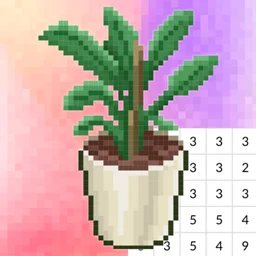 Coloring by Numbers: Pixel RoomColor furniture by number, then place the pieces to decorate cozy rooms.
 Diamond Drawing by NumbersPlace colored diamond gems on numbered images to create sparkling pictures.
 Girl Coloring Dress UpDress up a doll, then color her outfit and scene with gradients, patterns and glitter.
 Fun ColorsBack to the main game
Coloring by Numbers: Pixel House is a calm puzzle where you fill a grid of numbered squares to reveal a pixel-art home scene. Match each number to its color, drag across the cells, and the picture builds up piece by piece. It is free and plays in the browser, so you can pick it up unblocked at school or work with no download.
What this coloring puzzle is
It is a 2D color-by-number game. Each level starts as a blank pixel grid with a number in every cell and a palette of colors on the side. You choose a color and fill the cells that carry its number, working through the palette until a house or room scene appears. There is no timer and no way to fail, so the focus stays on the quiet of filling.
Controls for filling cells
One input handles everything: hold and drag to color.
| Action | How |
|---|---|
| Color cells | Hold left mouse button and drag |
| Pick a color | Click a swatch in the palette |
| On touch screens | Press and drag a finger |
| Zoom for detail | Scroll wheel or pinch |
Reading the numbered grid
The number printed in each cell points to one color in the palette. Select that color and the matching cells are easier to spot, then fill them all before moving on.
| Part | Meaning |
|---|---|
| Number | Which color the cell needs |
| Palette | The colors you can choose from |
| Filled cell | A square you have already colored |
| Finished image | The full scene once every cell is done |
Tips for cleaner pictures
A little order speeds things up:
- Finish one color completely before switching.
- Clear the color with the most cells first to cover big areas.
- Zoom into tight spots so you do not miss a single number.
- Save the small detail colors for last.