Coloring by Numbers: Pixel Room
More games to play
 Color Tap: Coloring by NumbersFill numbered regions with matching colors to complete relaxing pictures.
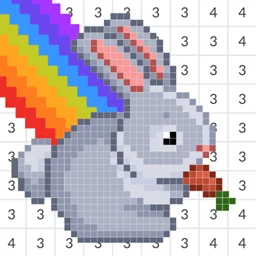 Coloring by Numbers: Pixel HouseFill numbered pixel cells to reveal cozy house and room scenes
 Diamond Drawing by NumbersPlace colored diamond gems on numbered images to create sparkling pictures.
 Girl Coloring Dress UpDress up a doll, then color her outfit and scene with gradients, patterns and glitter.
 Fun ColorsBack to the main game
Coloring by Numbers: Pixel Room is a calm coloring game where you fill furniture and decor by matching colors to numbers, then arrange the finished pieces to decorate a room. There is no timer and no way to lose. It is free in the browser with nothing to download, so you can play it unblocked at school or work wherever browser games are allowed.
What Coloring by Numbers: Pixel Room is about
It is a puzzle and relaxation game built on the color-by-number idea. Each illustration is a piece of furniture or decor divided into numbered cells. You choose the color tied to a number and fill the matching cells until the item is done. Completed items then go into a room you are furnishing, so finishing levels turns an empty space into a decorated interior.
Coloring and placing controls
The whole game runs off one pointer: mouse on desktop, tap on touchscreens.
| Action | Desktop | Mobile |
|---|---|---|
| Pick a color | Click the palette | Tap the palette |
| Fill a cell | Click the numbered cell | Tap the numbered cell |
| Fill a run | Hold and drag | Drag a finger |
| Place an item | Click the spot | Tap the spot |
Turning pieces into a room
Coloring is the first half; decorating is the second. Each finished item unlocks for placement, and the room fills out as you go.
| Step | What happens |
|---|---|
| Color an item | Fill all numbered cells |
| Unlock it | The piece becomes placeable |
| Place it | Set it into the room |
| Finish the room | Repeat until the space is furnished |
Tips for a relaxed run
A few habits make sessions smoother:
- Clear one color fully before switching numbers.
- Fill large blocks first so the picture reads sooner.
- Drag across same-number cells instead of tapping each.
- Think about where a piece will sit before placing it.